

Simple Ways to Improve Your WiFi at Home
Few things are more frustrating than slow internet, buffering videos, or WiFi that drops out halfway through a Zoom call. As more homes rely on smart TVs, streaming services, gaming consoles, security cameras, and smart home devices, a strong and reliable WiFi network has become essential.
The good news is that there are several practical steps you can take to improve your home WiFi performance without immediately upgrading your broadband package.

Move Your Router to a Better Location
One of the biggest factors affecting WiFi performance is router placement.
Many routers are hidden away in cupboards, behind TVs, or in corners of the house where the signal struggles to spread evenly. WiFi signals work best when they are positioned:
- In a central location
- Elevated off the floor
- Away from thick walls and metal objects
- Clear of electrical interference from devices like microwaves or cordless phones
If your router is installed near the front door or utility room, the signal may not properly reach the rest of the property.
A simple relocation can sometimes dramatically improve coverage.
Restart Your Router Regularly
It sounds basic, but restarting your router can often solve performance issues.
Routers run continuously and can gradually slow down over time. Rebooting clears temporary faults and refreshes the connection to your internet provider.
A good rule is to restart your router every few weeks, or immediately if you notice:
- Slow browsing speeds
- Devices disconnecting
- Streaming issues
- Delays in smart home systems
Upgrade Older Equipment
If your router is several years old, it may simply not be capable of handling modern internet demands.
Older routers often struggle with:
- Multiple devices connected at once
- 4K streaming
- Smart home systems
- Video conferencing
- Gaming traffic
Modern WiFi 6 routers offer:
- Faster speeds
- Better range
- Improved device handling
- Greater reliability in busy households
Upgrading your router can make a huge difference, especially in larger homes.

Use WiFi Extenders
If your home suffers from weak signal or WiFi dead spots, hardwired wireless access points are one of the best solutions.
Unlike plug-in extenders, access points are connected directly back to your network using Ethernet cabling, providing stronger, faster, and more reliable WiFi coverage throughout the property.
Benefits include:
- Better coverage across larger homes
- Faster and more stable connections
- Improved streaming and gaming performance
- More reliable smart home devices
- Seamless WiFi between rooms and floors
Hardwired access points are ideal for larger properties, thick walls, home offices, and modern smart homes with lots of connected devices.
If you have hardwired access points and you’re getting slow speeds, check for firmware updates. Also we’re now up to WiFi7 so check the age of your current system – is it still on old technology?

Reduce Network Congestion
Modern households can easily have 30+ connected devices competing for bandwidth.
Devices that consume large amounts of data include:
- Smart TVs
- Streaming boxes
- Games consoles
- CCTV systems
- Video doorbells
- Tablets and phones
Too many active devices can slow the network down.
You can improve performance by:
- Disconnecting unused devices
- Scheduling large downloads overnight
- Using wired connections for TVs or gaming consoles
- Prioritising important devices in your router settings

Switch to Wired Connections Where Possible
WiFi is convenient, but wired Ethernet connections are still faster and more reliable.
Devices that benefit most from wired connections include:
- Smart TVs
- Gaming consoles
- Home office computers
- CCTV recorders
- Streaming devices
Reducing the number of heavy-use devices on WiFi can free up wireless bandwidth for phones, tablets, and smart home products.
If you’d like better capacity for hardwiring or you’d like to get a TV hardwired, get in touch and we can help with this.
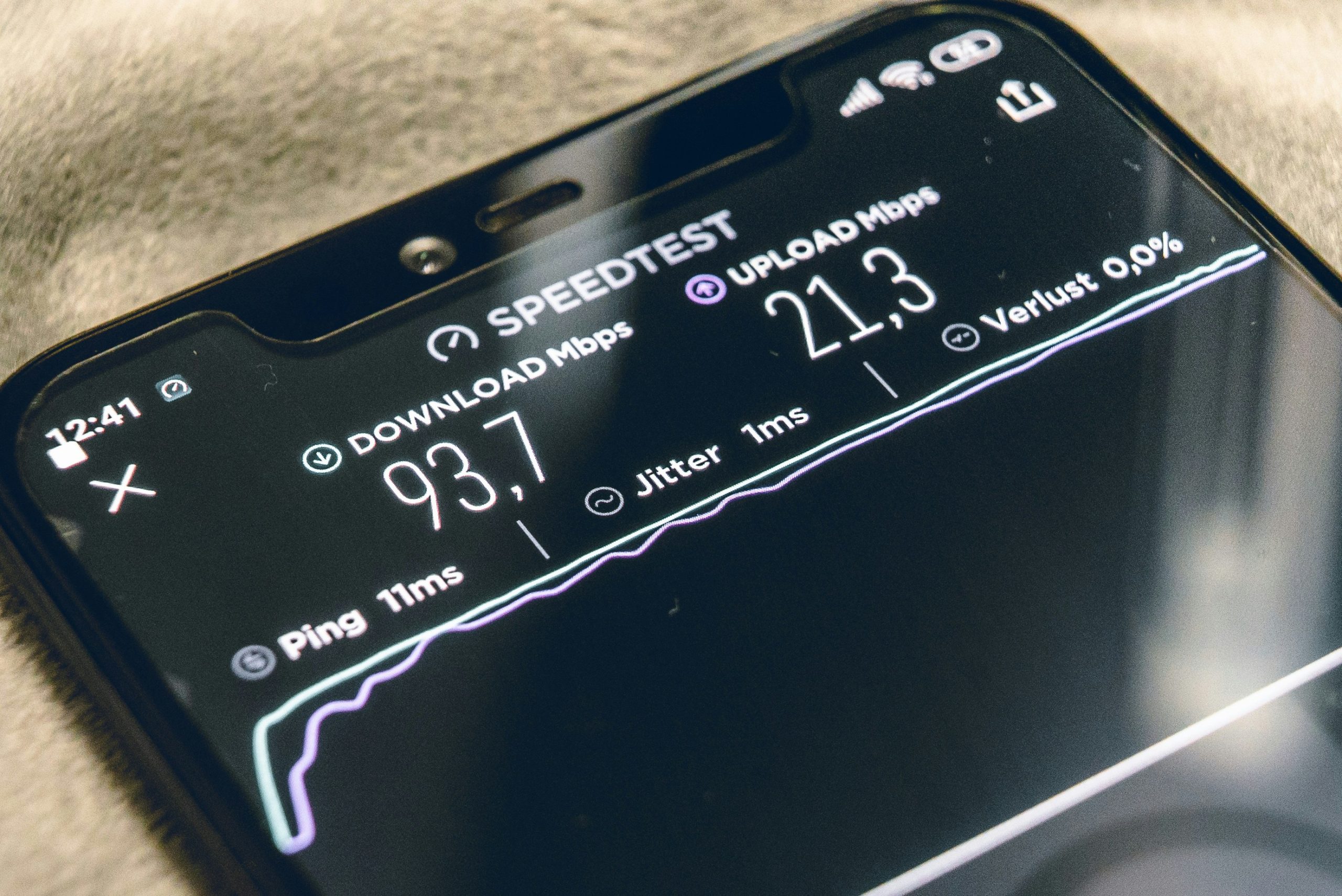
Check for Broadband Bottlenecks
Sometimes the issue is not your WiFi — it’s the broadband speed coming into the property.
You may need to upgrade your internet package if:
- Multiple people work from home
- You stream in 4K
- You use cloud-based security systems
- You regularly experience buffering
Running a speed test can help determine whether the problem lies with your internet provider or your internal WiFi setup.
Keep Your Router Updated
Router manufacturers regularly release firmware updates to improve:
- Security
- Stability
- Performance
- Compatibility with newer devices
Many modern routers update automatically, but older systems may require manual updates.
Outdated firmware can lead to poor performance and security vulnerabilities. If you’re unsure get in touch with your supplier.

Consider Professional WiFi Installation
In many homes — especially larger properties or buildings with thick walls — consumer-grade WiFi equipment may not deliver reliable coverage everywhere.
Professional WiFi systems are designed to provide:
- Seamless whole-home coverage
- Fast roaming between rooms
- Reliable smart home connectivity
- Strong outdoor coverage
- Stable performance for dozens of devices
A professionally designed network can completely eliminate dead spots and improve the performance of your entire smart home system.
Final Thoughts
A reliable WiFi network is now one of the most important systems in any modern home. From streaming and gaming to smart lighting, CCTV, and home working, almost everything depends on stable internet connectivity.
Simple improvements like repositioning your router, upgrading equipment, or installing a mesh system can make a noticeable difference. For larger homes or persistent WiFi issues, a professionally designed network is often the best long-term solution.
If you’re struggling with poor WiFi coverage, dead spots, or unreliable smart home connectivity, we can help design and install a high-performance WiFi system tailored to your property. Get in touch to discuss any aspects of your WiFi.